

🥳 Scanner App — Promotion
How to Redeem a Promotion via the Scanner
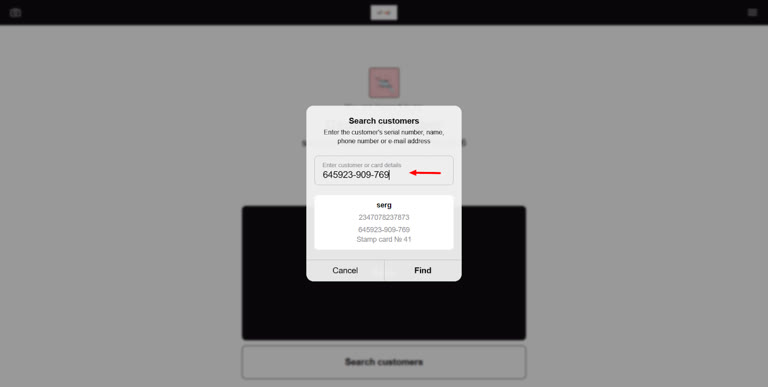
Login to the scanner app, then enter the customer’s name, phone number or card serial number
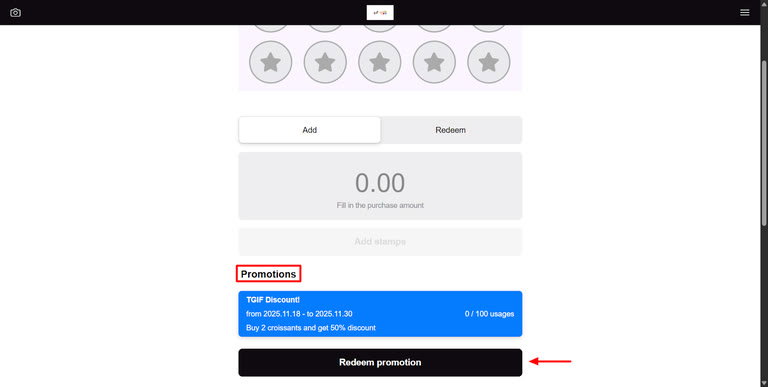
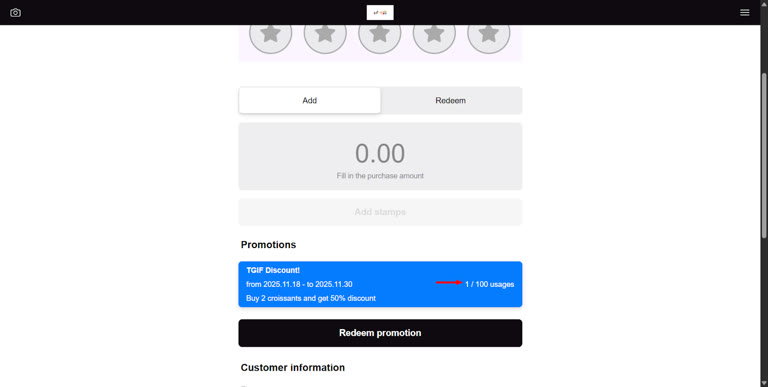
Scroll to promotions, select the promotion then click on redeem promotion.
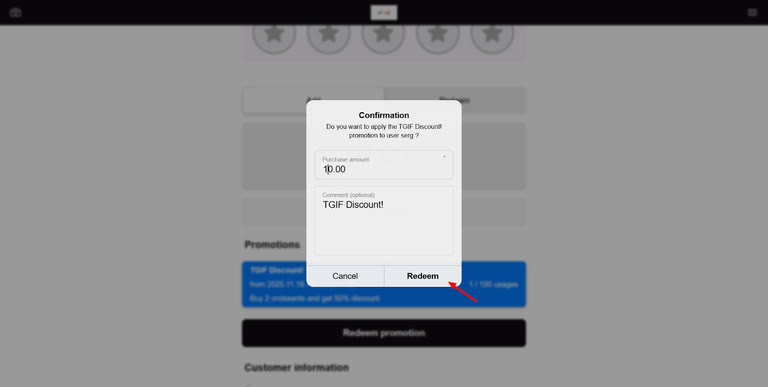
Enter the purchase amount then click on Redeem.
Once redeemed it appears as successful
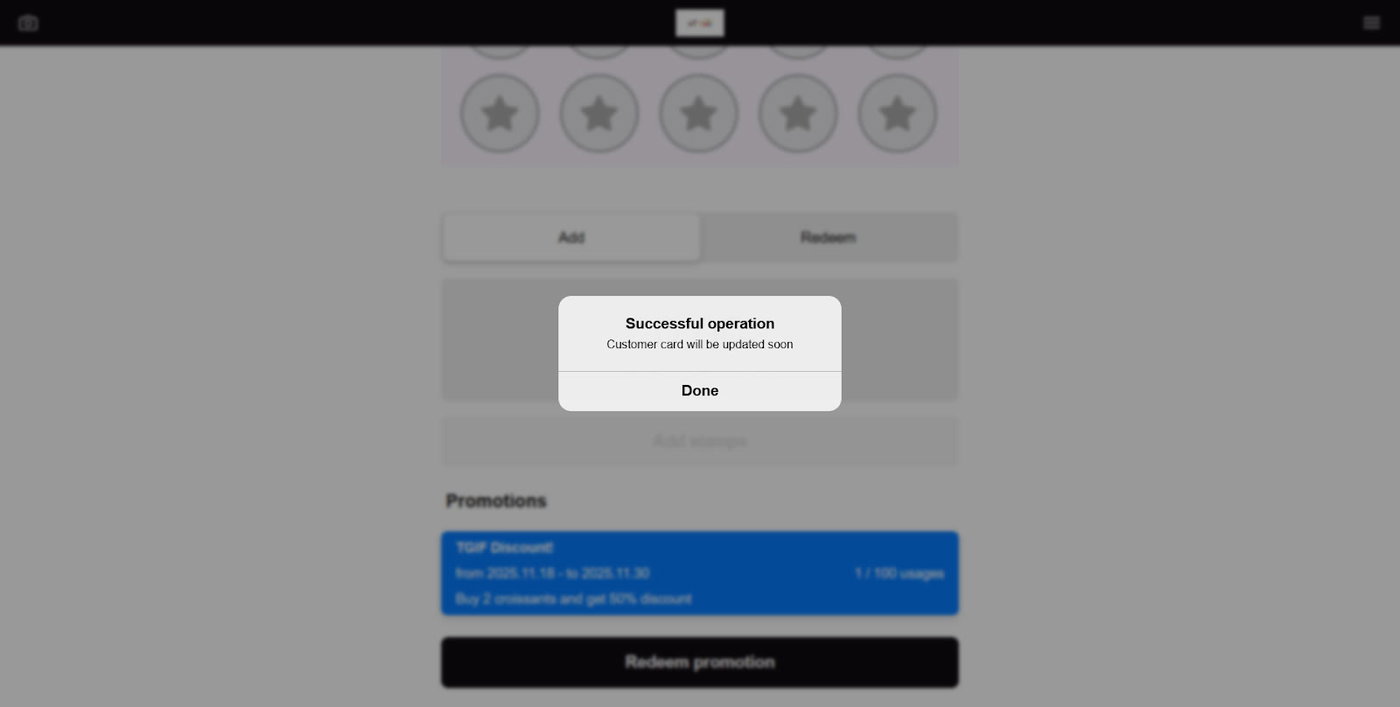
After a redemption is processed, a number appears above the max global usage count (e.g., 1/100). Once it reaches 100, the promotion will no longer be available to clients.
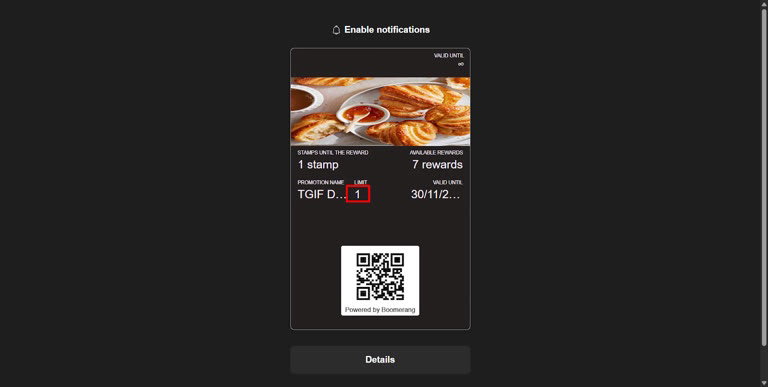
The limit per client appears in their account as shown below
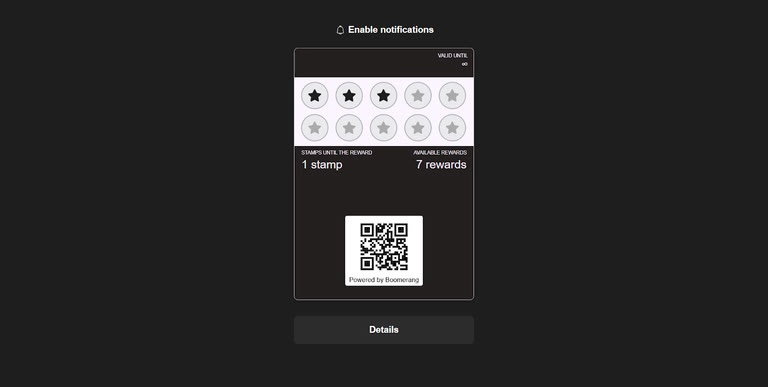
Once the promotion has been redeemed, the promotion disappears and the card appears as it previously was.
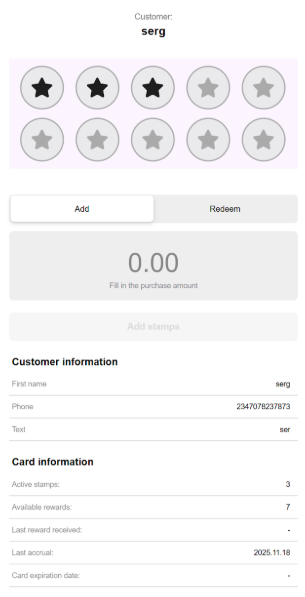
The scanner no longer shows that the client can take advantage of the promotion.
For detailed instructions on how to create and configure promotions, please read our guide: