

🧑💻 How to Register on InWallet.Cards?
🧑💻How to Register ?
Learn how to register on InWallet.Cards
1. Use the https://app.inwallet.cards URL from your web browser address bar to land on the login page.
2. To register as a new user, click the Registration button. Doing so takes you to the Registration screen.
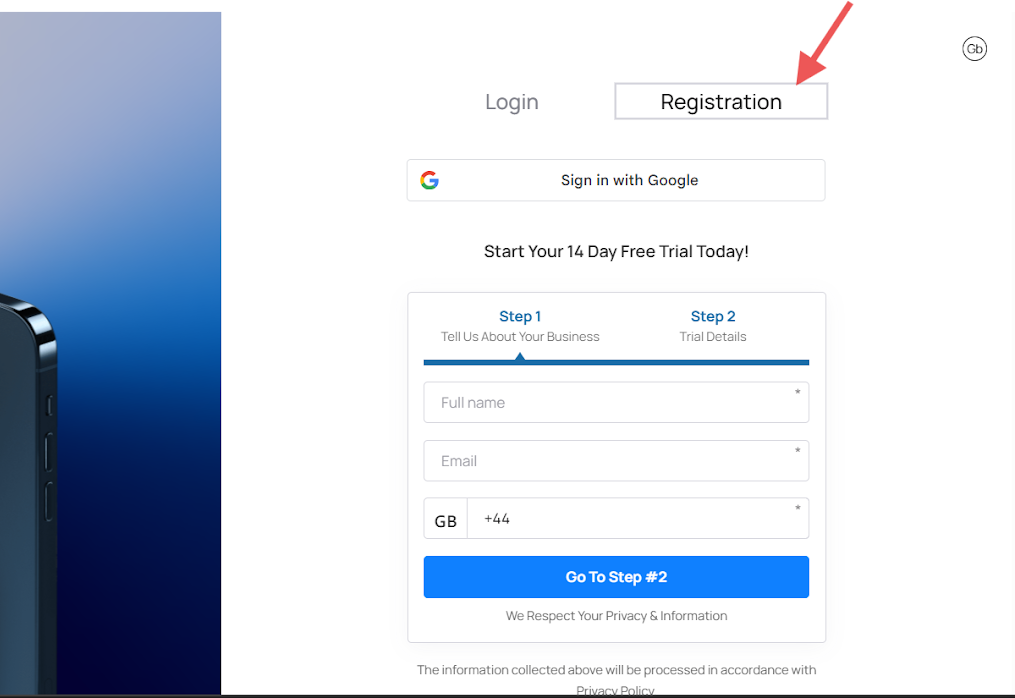
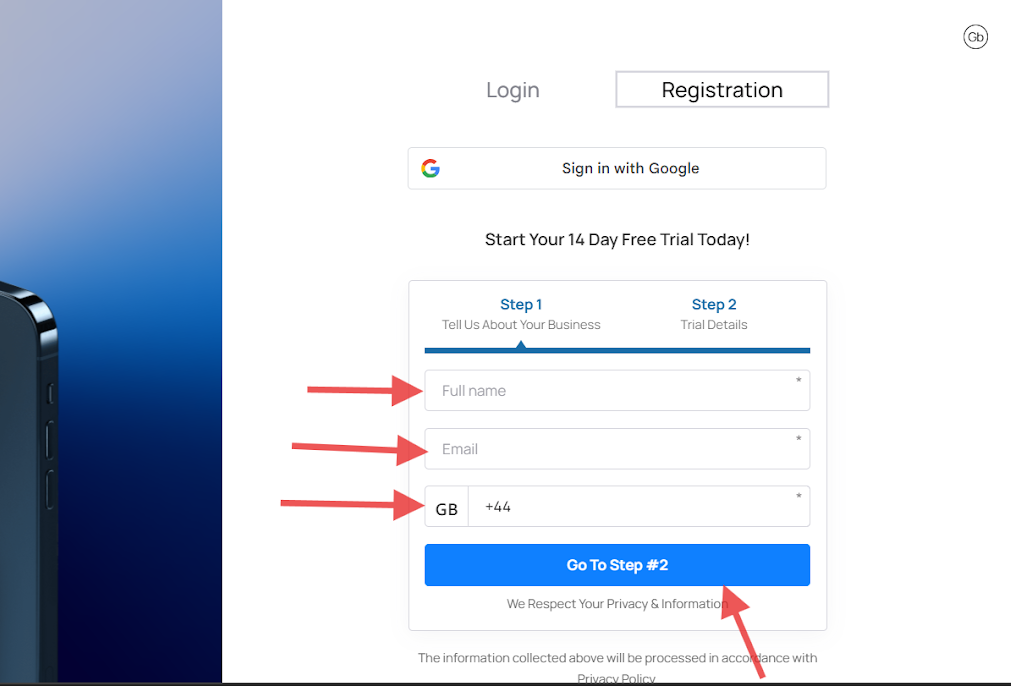
Registration consists of two steps.
Step one. Fill in all fields. Enter your full name, email and contact phone number. Then go to step two.
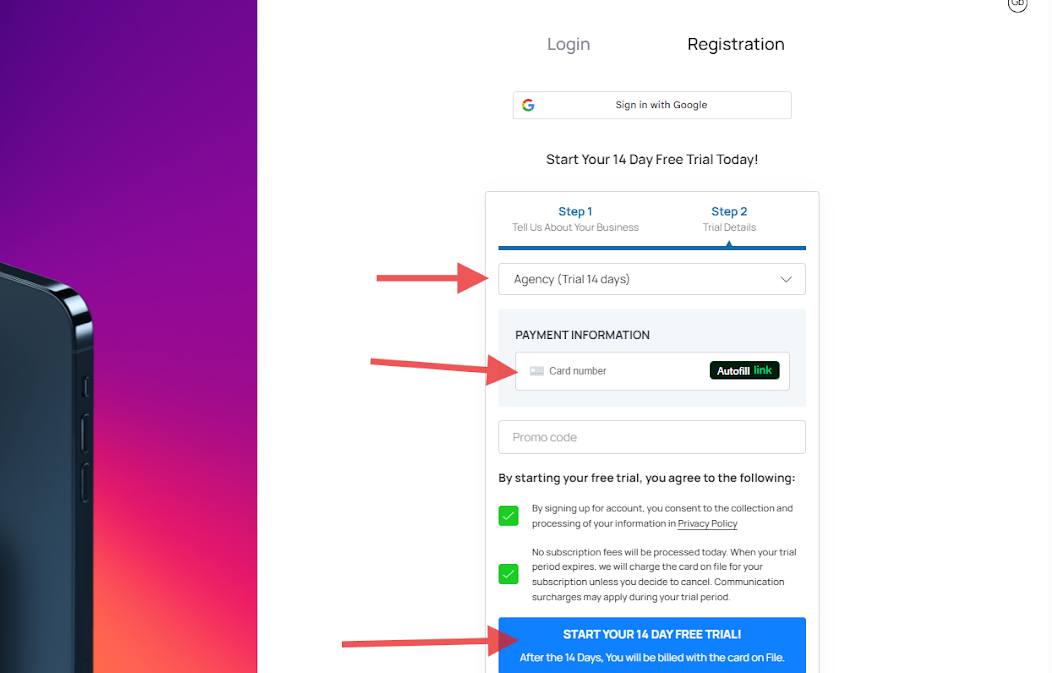
Step two. Select the plan you are interested in.
You can change your plan later from Settings → Plan → Want to modify or cancel your subscription.
Fill in all other fields. Link a bank card and enter the promo code if you have one. We often have promotions.
Note: A payment card is required to start the trial, but no charges will be made during the 14-day trial period.
Register via Google
To register with google, you need to click on sign in.
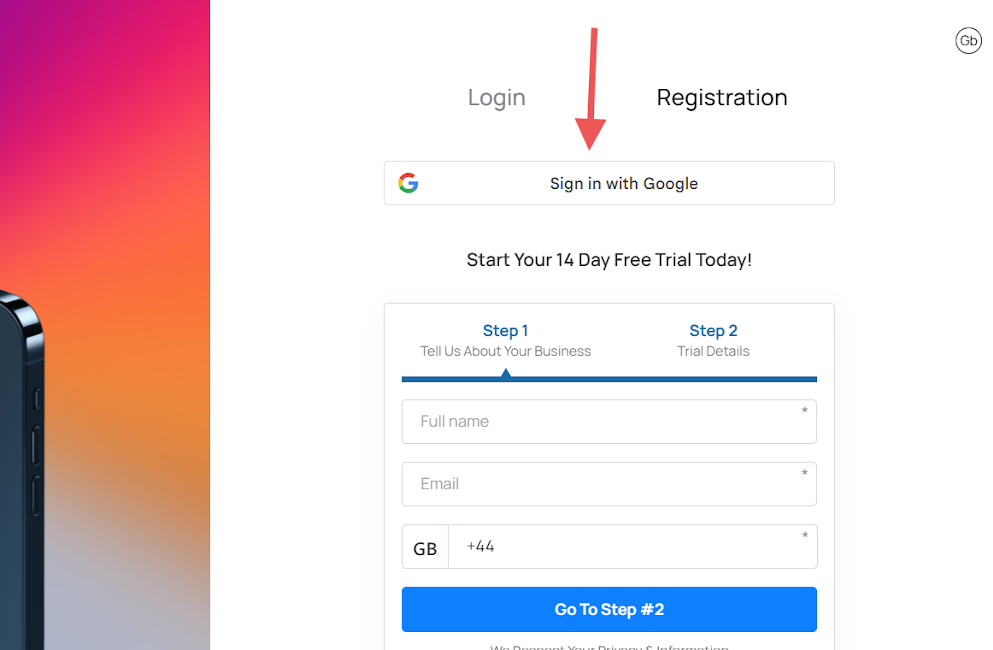
Once you click on sign in with google, you would be directed to google to fill in your email address and password. After this process, an account would be created for you and you would be required to fill in your complete personal information and add a bank card to access the account on the 14 days free trial.